Know the Moment Your Gmail Email Gets Opened
Email Tracker for Gmail adds a one-click tracking toggle right next to Gmail's Send button. WhatsApp-style read receipts, a built-in dashboard, and self-open protection. No seat pricing, no quotas, no license key, ever.
Available now on the Chrome Web Store, free forever. Read the full follow-up and accountability guides in the meantime.
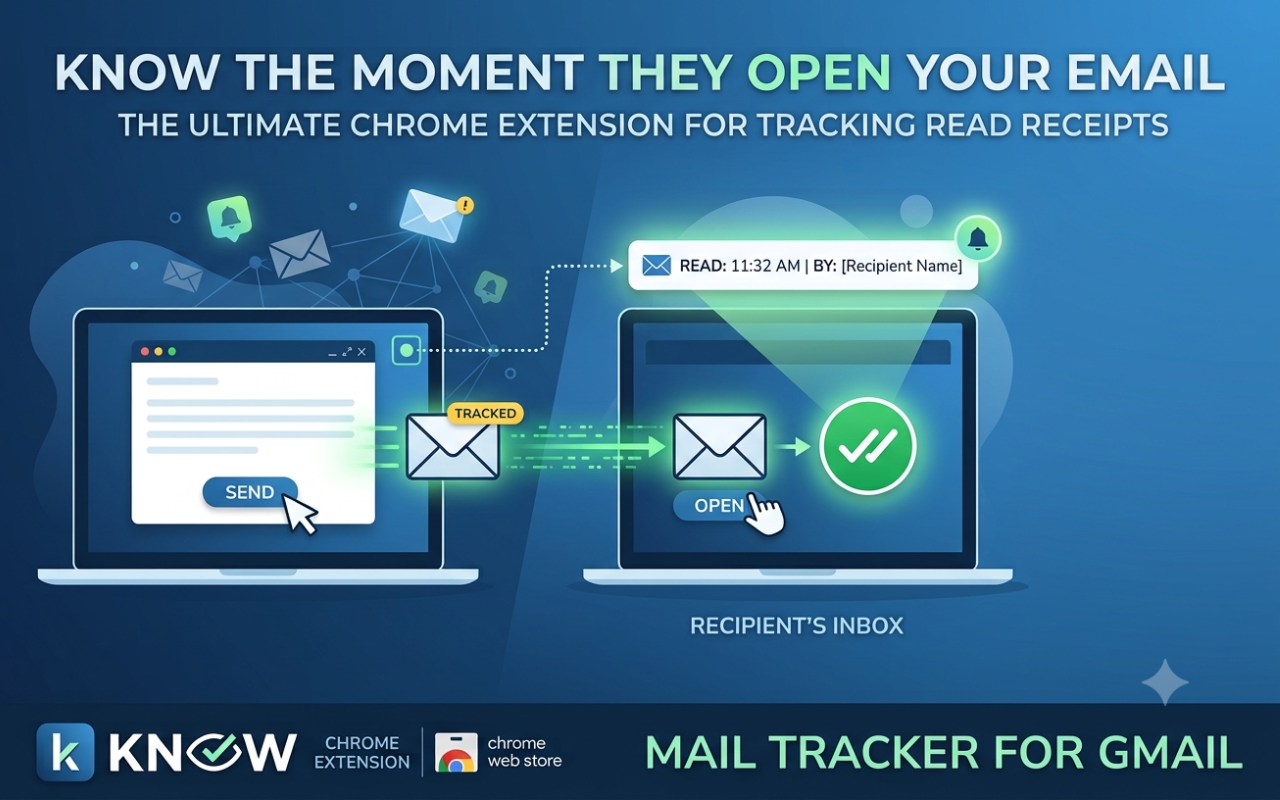
Does this sound like you?
The friction points that come from sending a lot of 1:1 email with no idea whether it was ever opened.
Guessing who to follow up with
Sending 40+ cold emails a day and following up on a fixed schedule instead of real engagement.
Read receipts locked behind a paywall
Every tracker that shows you opens gates the feature behind a per-seat subscription or a capped free tier.
False "opened" notifications
Your own outbox preview quietly marks the email as opened before your recipient ever sees it.
"Did you even send that?"
Clients and candidates go quiet and you have no factual way to say whether they saw your email.
Yet another dashboard to check
Separate web apps and logins just to see who opened what. One more tab in an already crowded day.
Everything you need, built into Gmail itself
No new inbox sidebar, no separate app to learn, just a toggle next to Send.
One-click toggle
Right next to Gmail's Send button
- • Tracking is per-email, not always-on
- • No new inbox sidebar to learn
- • Works inside Gmail as-is
WhatsApp-style ticks
Gray sent, teal opened: at a glance
- • Visible on thread rows
- • Visible inside each message
- • No guessing from silence
Built-in dashboard
One click from the toolbar icon
- • No separate web app
- • No extra login screen
- • Recent tracked sends at a glance
Self-open protection
Two-layer guard against false positives
- • Client-side network rule blocks your own preview
- • 30-second server-side window
- • Your own send never falsely marks "opened"
Genuinely free
No quotas, no license keys, ever
- • No premium tier to hit a wall on
- • No seat pricing
- • One-time Google sign-in
See it inside Gmail
Real screens from the extension. The toggle, the dashboard, and the one-time sign-in.
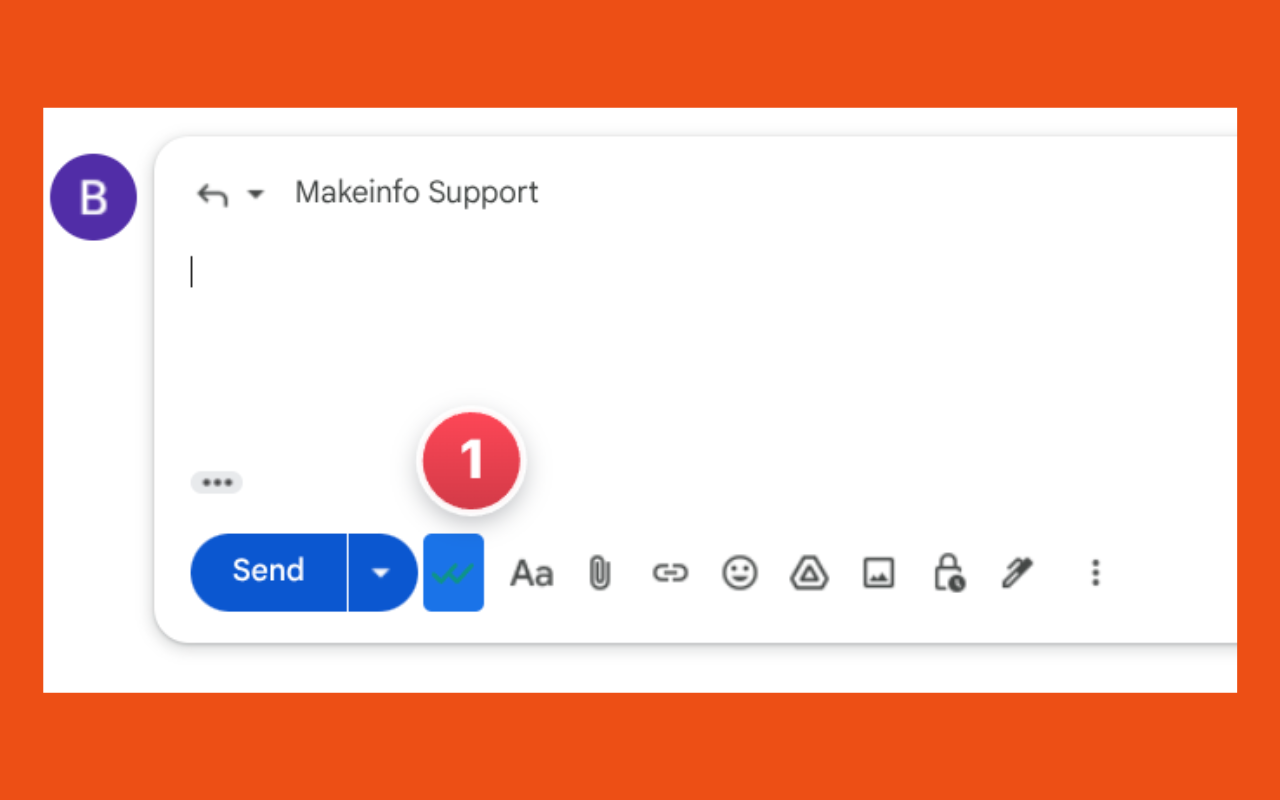
One-click tracking toggle right next to Send
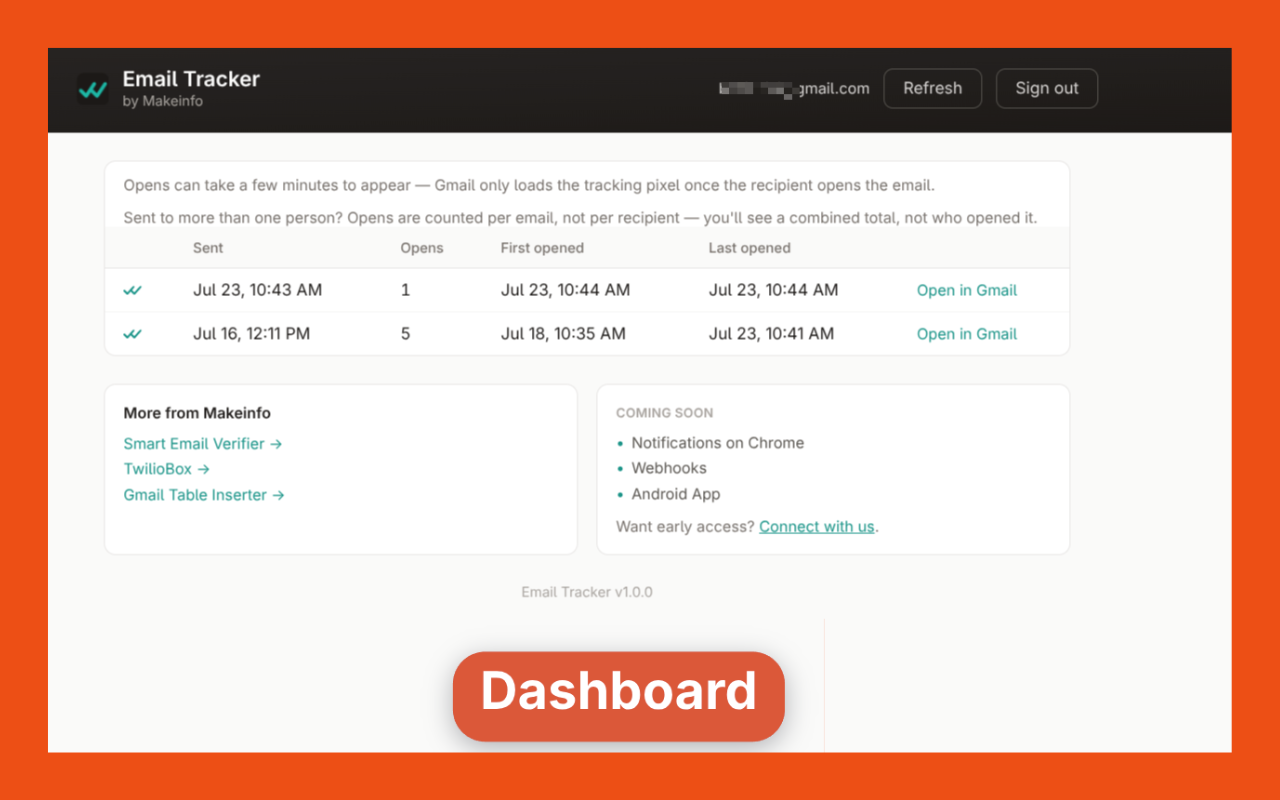
Built-in dashboard: review every tracked email in one place
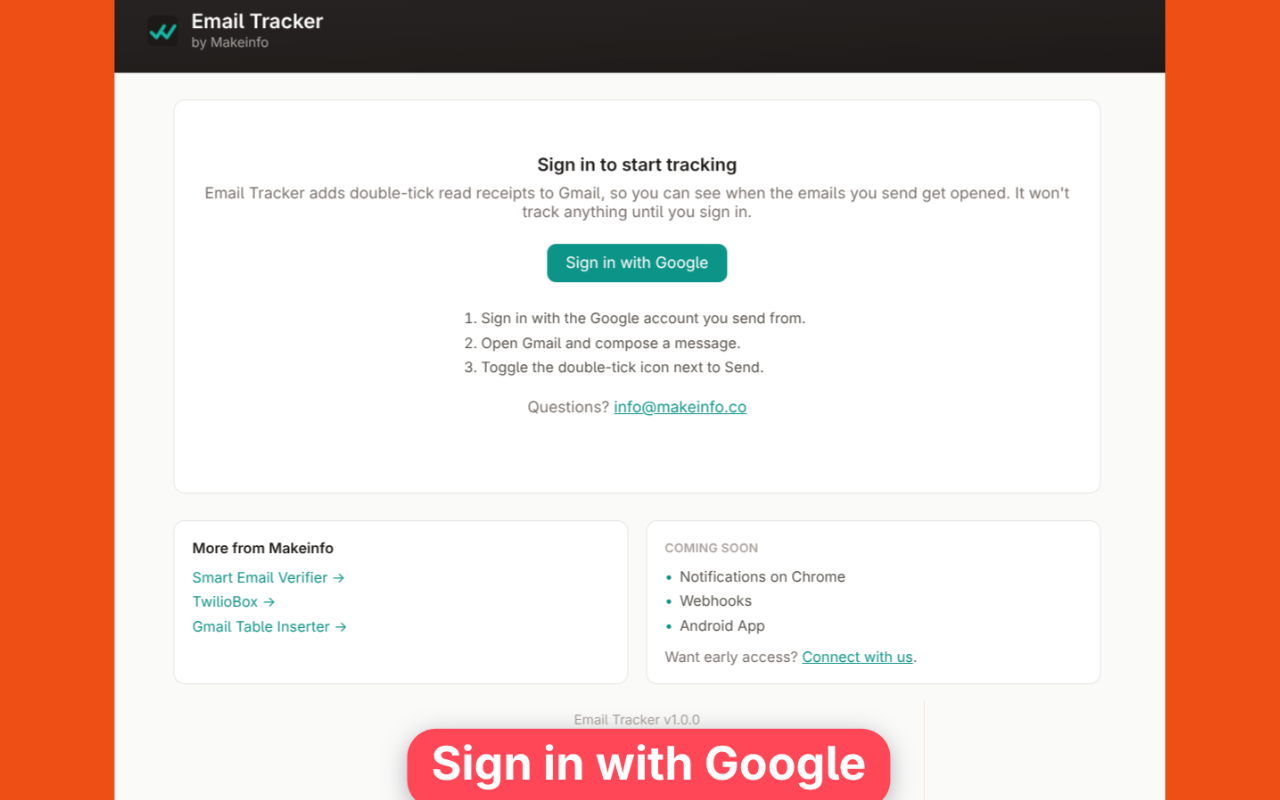
One-time Google sign-in: no separate account
Also check status from your phone
The free Mail Tracker Android app is a read-only companion to this Chrome extension. Sign in with the same Google account and see which of your tracked emails have been opened, no laptop required. Tracking itself still only turns on from Gmail using the extension; the app is just the fastest way to check.
Get it on Google Play →Built for people who send a lot of email
One signal (did they open it) used four different ways.
Outbound SDR
Decide who gets same-day follow-up versus who goes back into the nurture queue, instead of guessing from silence.
Technical Recruiter
Tell "opened but ignored" apart from "never seen" before deciding whether to re-send or move on.
Agency Account Manager
Confirm a client-facing deliverable was actually opened before a status call. Proof, not "let me check."
Founder-Led Sales
Track opens on a small number of high-stakes proposals and investor updates without per-seat tracking software.
One Plan. Free Forever.
Paid trackers gate read receipts behind per-seat subscriptions or capped free tiers. This one doesn't. There's no premium tier to eventually hit a wall on.
Available now on the Chrome Web Store
From guessing to knowing
Real workflows, before and after a real open signal.
Cold Outreach Follow-Up
Following up on a calendar schedule regardless of whether the prospect ever opened the email.
See who opened within the hour and prioritize same-day follow-up while you're still top of mind.
Candidate Re-Engagement
No way to tell "opened but ignored" apart from "never seen" before deciding whether to re-send.
Know exactly which candidates saw your outreach so you re-engage the right ones with the right message.
Client Accountability
No factual answer when a client says they never received a deliverable or status update.
Confirm open status before the call and replace "let me check" with a real timestamp.
Frequently Asked Questions
Honest answers, including the real limitations of pixel-based tracking.
Is this really free, forever? ▾
Will the recipient know I'm tracking the email? ▾
How accurate are the open notifications? ▾
Could my own preview or outbox count as a false "open"? ▾
Do I need a separate account or password? ▾
Does it work with BCC or group emails? ▾
Can I see all my tracked emails in one place? ▾
Is there a mobile app to check tracked email status? ▾
Is my email content ever read or stored? ▾
You already send the emails.
The only thing missing is knowing whether anyone actually opened them.
Email Tracker for Gmail adds that signal directly to Gmail's Send flow, no separate app, no per-seat bill.
Free forever. One-click toggle. Self-open protection built in.
About This Extension & Data Usage
Email Tracker for Gmail is built extension-first. The only server-side code is a single tracking-pixel endpoint that never reads your email content, subject lines, or recipient identity.
Google OAuth Sign-In
Sign-in uses Google's own OAuth flow, the same one Gmail itself uses. Your Gmail credentials are never seen or stored by this extension.
Self-Open Protection, Two Layers
A dynamic browser network rule blocks your own outbox preview from firing the pixel, and a 30-second server-side window ignores anything that fast, so your own send never falsely marks itself "opened."
What We Do Not Access
Email content, subject lines, and recipient identity are never read or transmitted. Only whether and when the tracking pixel was requested is recorded.
Why we actually build these tools
If we're honest, it comes down to privacy. We're a small team, not a venture-backed company with a dedicated security department, and every tool we ship starts from the same question: would we hand our own data to this? If the answer's no, we don't build it that way. That's the real reason half of what's on this site exists — not because a security badge looks good on a landing page, but because we didn't want to be the company someone else has to worry about.
Read our privacy policy →