Using Claude as a CRM Replacement: My Honest Take
I tested Claude as a CRM replacement for outreach and pipelines. Here's where it worked, where it broke, and why I still keep a CRM.
A Reddit thread in r/ClaudeGTM recently caught my attention. The founder claimed they deleted their CRM entirely. Instead of opening a dashboard and updating fields, their sales team simply tells Claude what happened after a call, and Claude updates everything in the background.
That idea wasn’t completely new to me.
Over the last few months, I’ve been experimenting with a similar workflow while building Makeinfo. I haven’t replaced my CRM completely, but I have replaced a surprising amount of manual work with Claude Code. Some parts have been genuinely better than traditional CRM software. Others reminded me why CRMs exist in the first place.
Here’s what I learned.
Why I Started Experimenting
The biggest frustration wasn’t my CRM.
It was becoming the bridge between AI and the CRM.
After every sales conversation or research session, I found myself copying information from Claude into a CRM, then copying CRM information back into Claude for the next task. I was spending more time moving context than actually working with it.
One afternoon I realized I was acting like an expensive API between two systems.
That became the motivation to simplify everything.
What I Actually Built
I didn’t build an MCP-native CRM or replace every CRM feature.
Instead, I started replacing individual workflows that felt repetitive.
Dashboards generated on demand
Instead of maintaining dashboards that I rarely looked at, I ask Claude Code questions like:
“Show me every lead I haven’t contacted in two weeks.”
or
“Summarize my active opportunities.”
Claude generates the report whenever I need it.
For a solo founder, that’s often enough.
Updating contacts through conversation
Rather than opening forms and filling multiple fields, I simply describe what happened.
For example:
“John replied. Budget approved. Follow up next Tuesday.”
Claude updates the record without making me think about fields or dropdowns.
This saves only a minute or two each time, but after dozens of updates every week, it adds up.
Using markdown instead of a database
This was the biggest experiment.
Initially, every contact, note, and meeting lived inside markdown files stored in Git.
I chose markdown because it solved several problems at once:
- Everything was version controlled.
- I could search it easily.
- Claude understood the files naturally.
- There was no database to maintain.
For the first couple hundred contacts, this worked surprisingly well.
Then I started noticing the limits.
Searching became slower. Context windows became larger. Claude occasionally had to read several files before finding the information I actually wanted.
That was the point where I stopped asking whether markdown could scale forever.
Instead, I started evaluating a vector database so Claude could retrieve only the relevant context instead of scanning every document.
Markdown got me much further than I expected.
It just wasn’t going to be the final architecture.
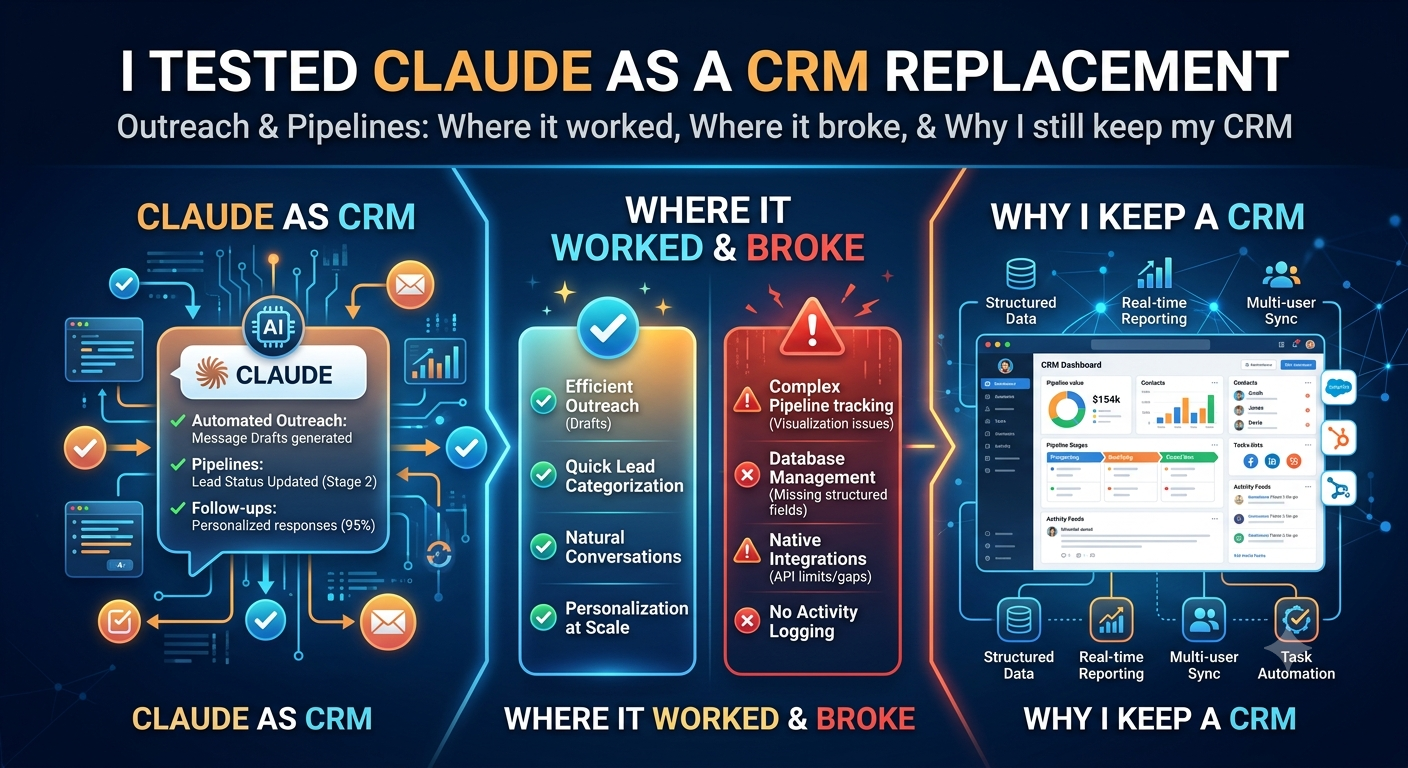
What Worked Better Than I Expected
For a solo founder or a very small team, this approach has real advantages.
| Factor | Why it worked for me |
|---|---|
| Less context switching | I stayed inside Claude instead of jumping between tools. |
| Lower maintenance | No dashboards to keep updated. |
| Faster updates | Describing changes felt more natural than editing forms. |
| Simplicity | Markdown files were easy to inspect, back up, and version with Git. |
The biggest surprise wasn’t speed.
It was how much mental energy disappeared.
Instead of wondering which field should I update?, I simply described what happened and continued working.
That sounds small until you repeat the process dozens of times each week.
Where Things Started Breaking
The honeymoon phase lasted a few weeks.
Then I began running into problems that traditional CRMs have already solved.
Everyone describes things differently
Even when I tried keeping notes consistent, I’d occasionally write:
Qualified
A few days later I’d write:
Strong prospect
Or:
Ready for demo
Claude understood those phrases.
My reporting didn’t.
Once multiple people contribute, this inconsistency becomes much worse.
That’s when structured validation starts becoming necessary.
Authentication becomes real
A CRM knows exactly who updated a record.
A markdown file doesn’t.
When AI becomes the interface, you still need to know which human requested the change.
That’s much harder than simply letting Claude write files.
Permissions don’t disappear
As a solo founder, permissions aren’t a problem.
As soon as multiple people share customer information, they become critical.
Who can delete contacts?
Who can export customer data?
Who can edit pricing notes?
Traditional CRMs answer these questions already.
A conversational interface still needs to.
I was slowly rebuilding CRM features
This was probably the biggest realization.
Every solution I added looked suspiciously like another CRM feature.
Validation.
Permissions.
History.
Audit logs.
User identity.
Eventually I asked myself:
“If I’m rebuilding these one by one, am I actually replacing a CRM?”
Probably not.
My Biggest Takeaway
The Reddit discussion framed this as replacing software with conversation.
After trying it myself, I think that’s only half the story.
Conversation is an excellent interface.
It isn’t a replacement for structured systems.
Claude is fantastic at interpreting messy human language.
It is much less suited to being the ultimate source of truth for customer records.
Those are different jobs.
What I’d Recommend
If you’re a solo founder or a team of two or three people, I’d absolutely encourage experimenting with conversational workflows.
You probably don’t need a complicated CRM for every interaction.
On the other hand, once you have dedicated SDRs, account executives, managers, compliance requirements, or multiple people touching customer records, the equation changes quickly.
The features that feel unnecessary today—audit trails, permissions, validation, standardized fields—become the things that keep your data trustworthy.
My own workflow today is somewhere in the middle.
Claude handles conversations, summaries, drafting, research, and repetitive updates.
The underlying system remains structured.
I no longer think of Claude as a CRM replacement.
I think of it as the best interface I’ve ever had for working with a CRM.
One final lesson surprised me more than anything else.
The biggest productivity gain wasn’t deleting software.
It was deleting friction.
Every time I removed a small piece of unnecessary manual work—copying notes, updating fields, switching tabs—I stayed focused a little longer on the work that actually creates value.
That’s the part worth keeping, regardless of which CRM or AI tool you eventually choose.